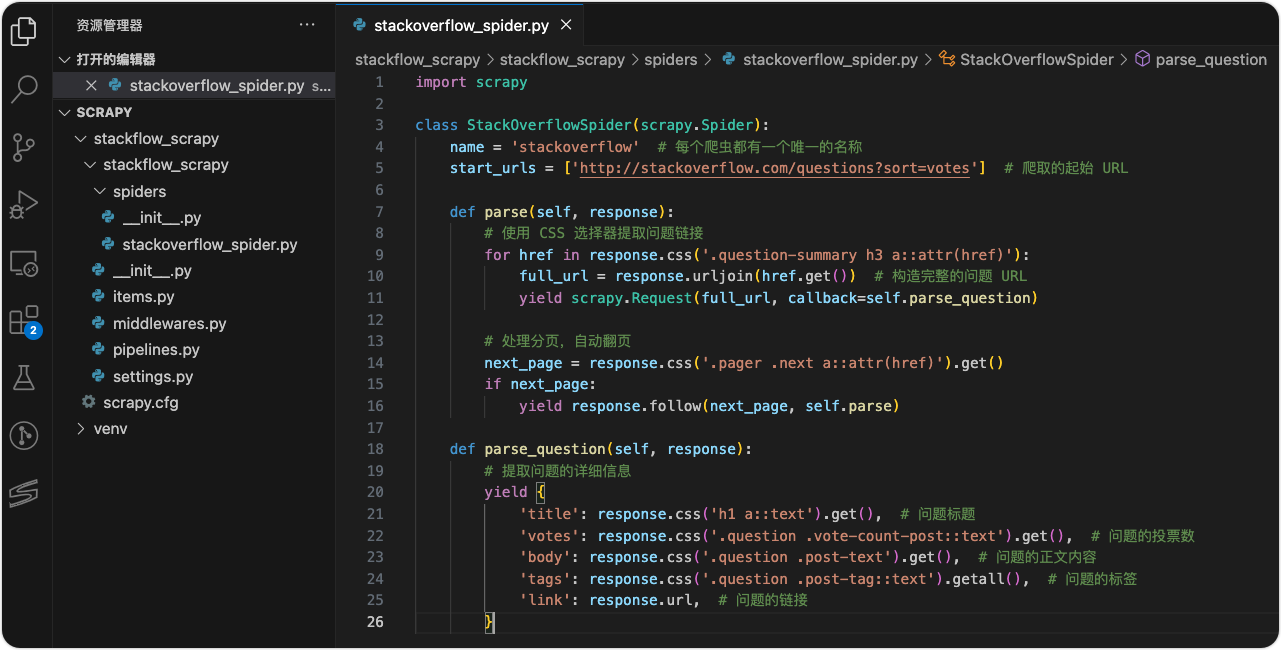
将爬虫类保存在 projectName\spiders 目录中。在这种情况下
stackoverflow_project\stackoverflow_project\spiders\stackoverflow_spider.py.
现在你可以使用你的爬虫了。例如,试着运行(在项目目录下):
cd stackoverflow_project
scrapy crawl stackoverflow -o output.json
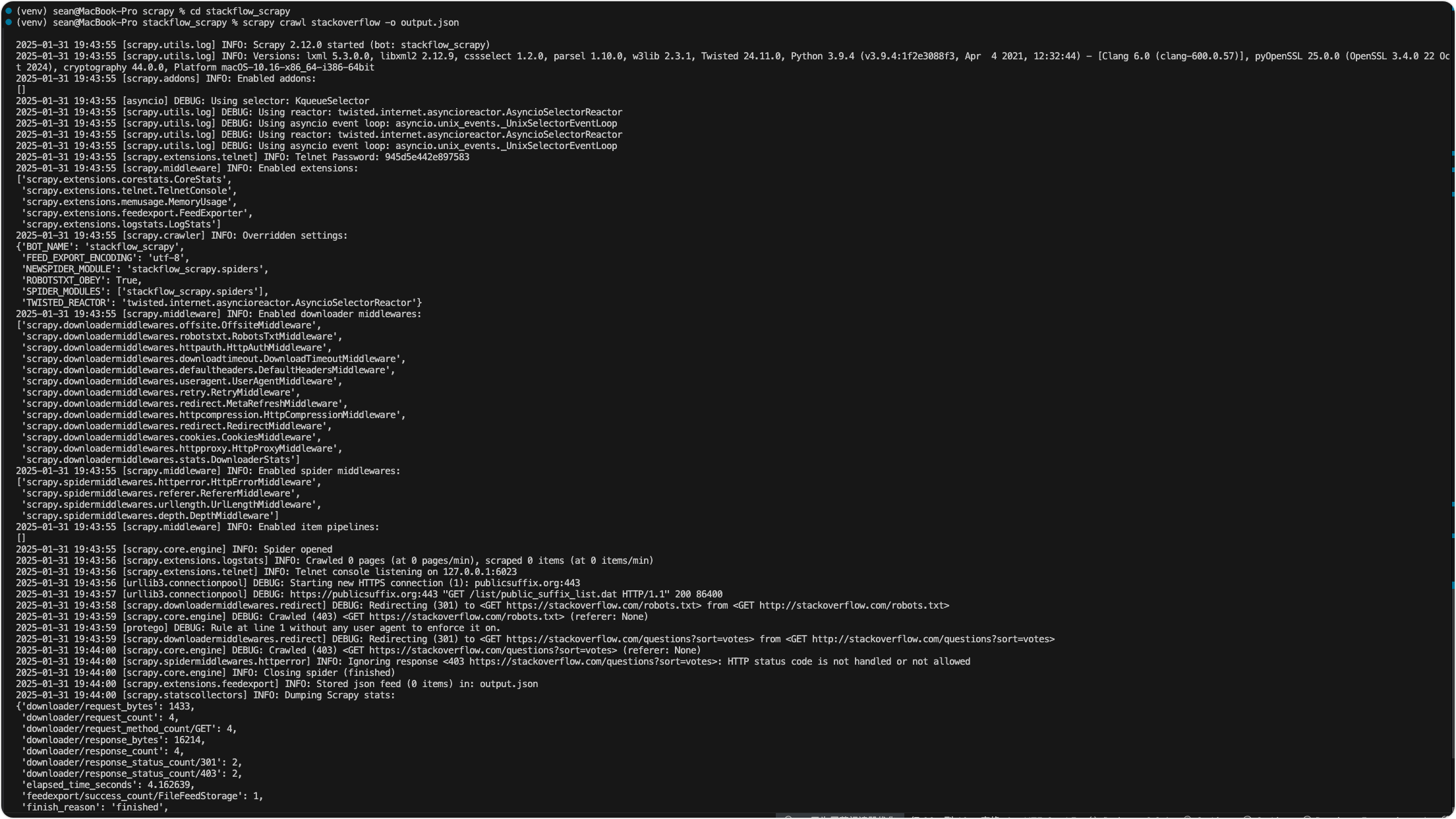
这会将爬取的结果保存到 output.json 文件中。
Section 92.2: 使用 Selenium WebDriver 进行抓取
有些网站不喜欢被爬取数据。在这种情况下,您可能需要模拟使用浏览器的真实用户。Selenium 可启动并控制网络浏览器。
from selenium import webdriver

browser = webdriver.Firefox() # launch Firefox browser

browser.get('http://stackoverflow.com/questions?sort=votes') # load url

title = browser.find_element_by_css_selector('h1').text # page title (first h1 element)

questions = browser.find_elements_by_css_selector('.question-summary') # question list

for question in questions: # iterate over questions
  question_title = question.find_element_by_css_selector('.summary h3 a').text
  question_excerpt = question.find_element_by_css_selector('.summary .excerpt').text
  question_vote = question.find_element_by_css_selector('.stats .vote .votes .vote-countpost').text

print("%s\n%s\n%s votes\n-----------\n" % (question_title, question_excerpt, question_vote))
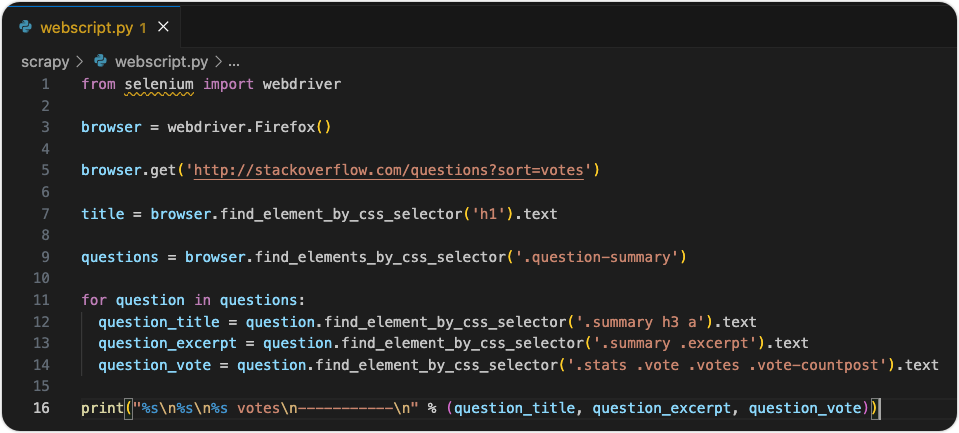
Selenium 的功能远不止这些。它可以修改浏览器的 cookie、填写表格、模拟鼠标点击、截取网页截图以及运行自定义 JavaScript。
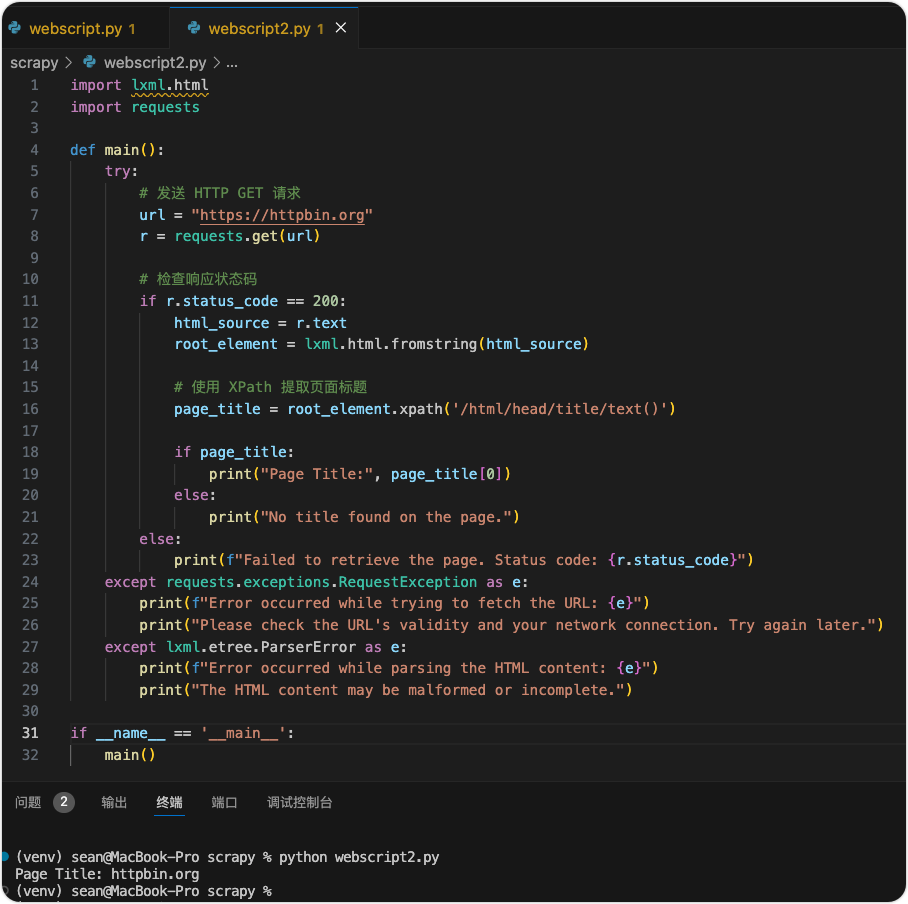
Section 92.3: 使用 requests 和 lxml 爬取数据的基本示例
# For Python 2 compatibility.

import lxml.html
import requests

def main():
    try:
        # 发送 HTTP GET 请求
        url = "https://httpbin.org"
        r = requests.get(url)

        # 检查响应状态码
        if r.status_code == 200:
            html_source = r.text
            root_element = lxml.html.fromstring(html_source)

            # 使用 XPath 提取页面标题
            page_title = root_element.xpath('/html/head/title/text()')

            if page_title:
                print("Page Title:", page_title[0])
            else:
                print("No title found on the page.")
        else:
            print(f"Failed to retrieve the page. Status code: {r.status_code}")
    except requests.exceptions.RequestException as e:
        print(f"Error occurred while trying to fetch the URL: {e}")
        print("Please check the URL's validity and your network connection. Try again later.")
    except lxml.etree.ParserError as e:
        print(f"Error occurred while parsing the HTML content: {e}")
        print("The HTML content may be malformed or incomplete.")

if __name__ == '__main__':
    main()
Section 92.4: 通过 requests 维护网络抓取的会话
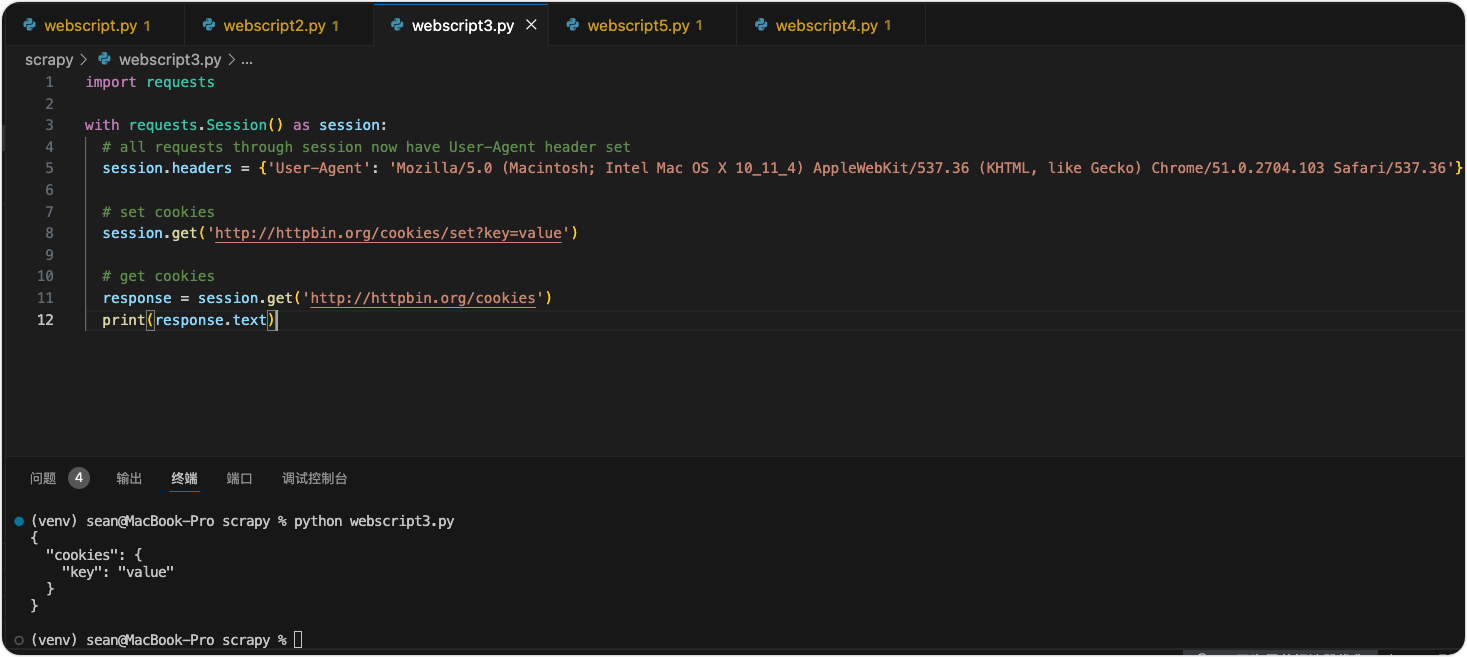
维护网络抓取会话是个好主意,可以持久保存 cookie 和其他参数。此外,它会提高性能,因为 requests.Session 会重复使用与主机的底层 TCP 连接:
import requests

with requests.Session() as session:
  # all requests through session now have User-Agent header set
  session.headers = {'User-Agent': 'Mozilla/5.0 (Macintosh; Intel Mac OS X 10_11_4) AppleWebKit/537.36 (KHTML, like Gecko) Chrome/51.0.2704.103 Safari/537.36'}

  # set cookies
  session.get('http://httpbin.org/cookies/set?key=value')

  # get cookies
  response = session.get('http://httpbin.org/cookies')
  print(response.text)
Section 92.5: 使用 BeautifulSoup4 进行搜索
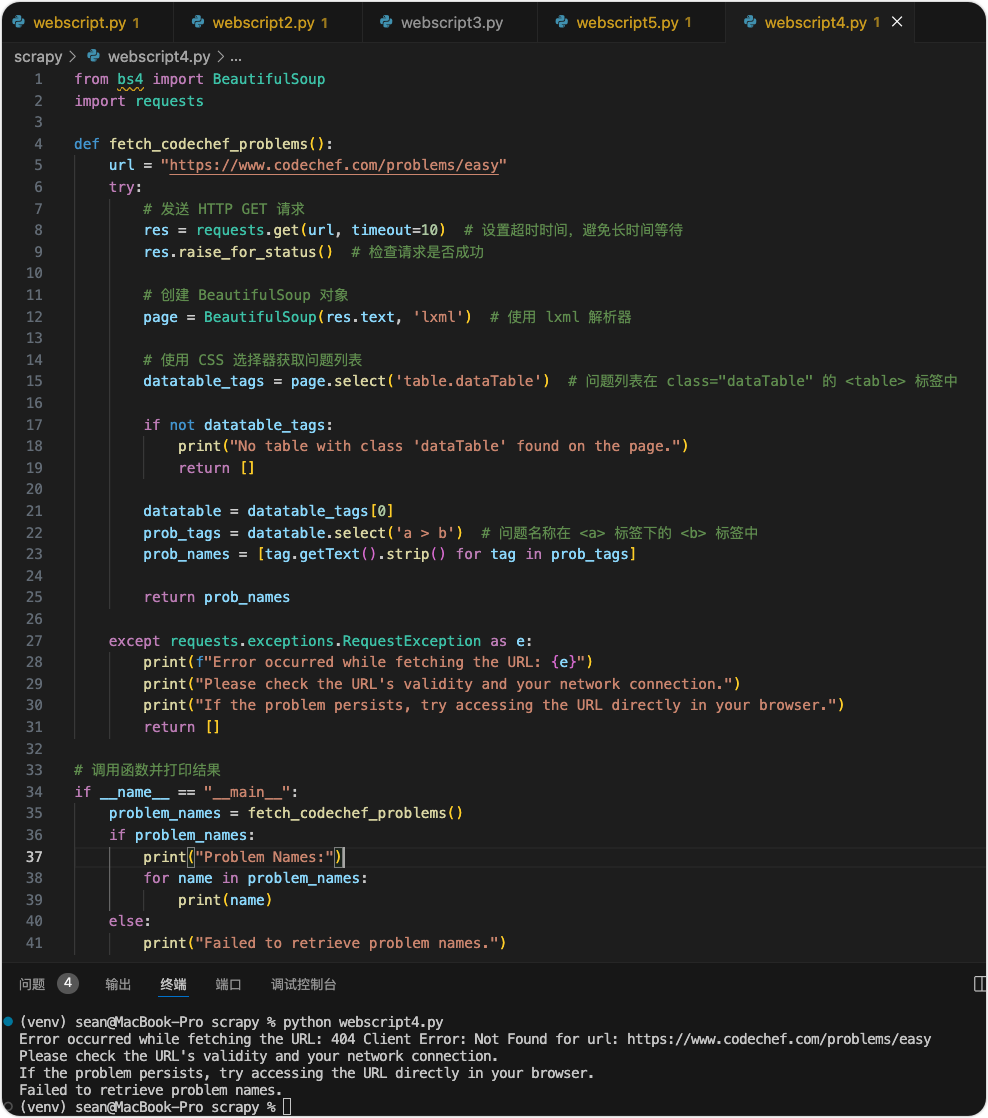
from bs4 import BeautifulSoup
import requests

def fetch_codechef_problems():
    url = "https://www.codechef.com/problems/easy"
    try:
        # 发送 HTTP GET 请求
        res = requests.get(url, timeout=10)  # 设置超时时间,避免长时间等待
        res.raise_for_status()  # 检查请求是否成功

        # 创建 BeautifulSoup 对象
        page = BeautifulSoup(res.text, 'lxml')  # 使用 lxml 解析器

        # 使用 CSS 选择器获取问题列表
        datatable_tags = page.select('table.dataTable')  # 问题列表在 class="dataTable" 的 <table> 标签中

        if not datatable_tags:
            print("No table with class 'dataTable' found on the page.")
            return []

        datatable = datatable_tags[0]
        prob_tags = datatable.select('a > b')  # 问题名称在 <a> 标签下的 <b> 标签中
        prob_names = [tag.getText().strip() for tag in prob_tags]

        return prob_names

    except requests.exceptions.RequestException as e:
        print(f"Error occurred while fetching the URL: {e}")
        print("Please check the URL's validity and your network connection.")
        print("If the problem persists, try accessing the URL directly in your browser.")
        return []

# 调用函数并打印结果
if __name__ == "__main__":
    problem_names = fetch_codechef_problems()
    if problem_names:
        print("Problem Names:")
        for name in problem_names:
            print(name)
    else:
        print("Failed to retrieve problem names.")
Section 92.6: 使用 urllib.request 下载简单的网页内容
标准库模块 urllib.request 可用来下载网页内容:
from urllib.request import urlopen

response = urlopen('http://stackoverflow.com/questions?sort=votes')
data = response.read()

# The received bytes should usually be decoded according the response's character set
encoding = response.info().get_content_charset()
html = data.decode(encoding)
Python 2 中也有类似的模块。
Section 92.7: 修改 Scrapy 用户代理
有时,Scrapy 的默认用户代理(“Scrapy/VERSION (+http://scrapy.org)”)会被主机阻止。要更改默认用户代理,请打开 settings.py,取消注释并编辑下面一行。
#USER_AGENT = 'projectName (+http://www.yourdomain.com)'
例如
USER_AGENT = 'Mozilla/5.0 (Macintosh; Intel Mac OS X 10_11_4) AppleWebKit/537.36 (KHTML, like Gecko) Chrome/51.0.2704.103 Safari/537.36'
Section 92.8: 使用 curl 进行抓取
导入:
from subprocess import Popen, PIPE
from lxml import etree
from io import StringIO
下载
user_agent = 'Mozilla/5.0 (Macintosh; Intel Mac OS X 10_11_6) AppleWebKit/537.36 (KHTML, like Gecko) Chrome/55.0.2883.95 Safari/537.36'
url = 'http://stackoverflow.com'
get = Popen(['curl', '-s', '-A', user_agent, url], stdout=PIPE)
result = get.stdout.read().decode('utf8')
-s: 静默下载
-A: 用户代理标志
解析:
tree = etree.parse(StringIO(result), etree.HTMLParser())
divs = tree.xpath('//div')